
Claude Status for VS Code
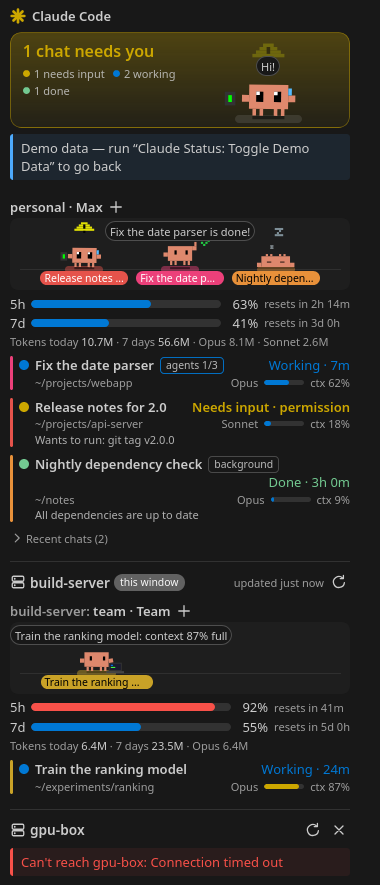
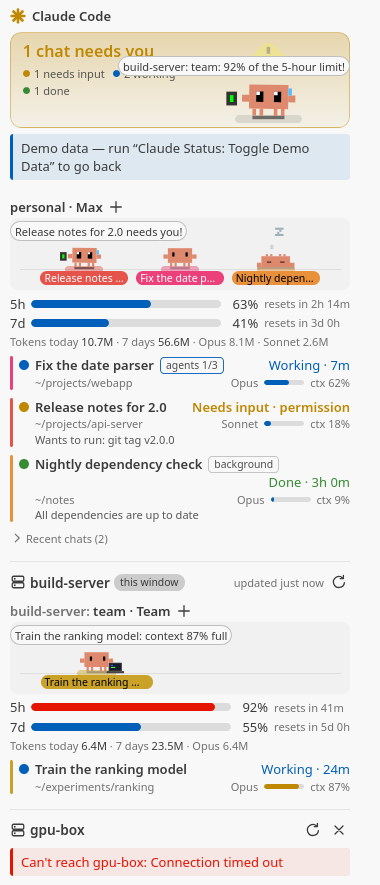
The VS Code companion of the Claude Status widget. Every Claude Code chat running on this computer and on my SSH hosts, in one VS Code view: which ones need me, which are working, plan usage, subagents, recent chats, and Clawd, the animated pet who acts it all out.
GitHub: wzaielamri/claude-status-vscode
What it does
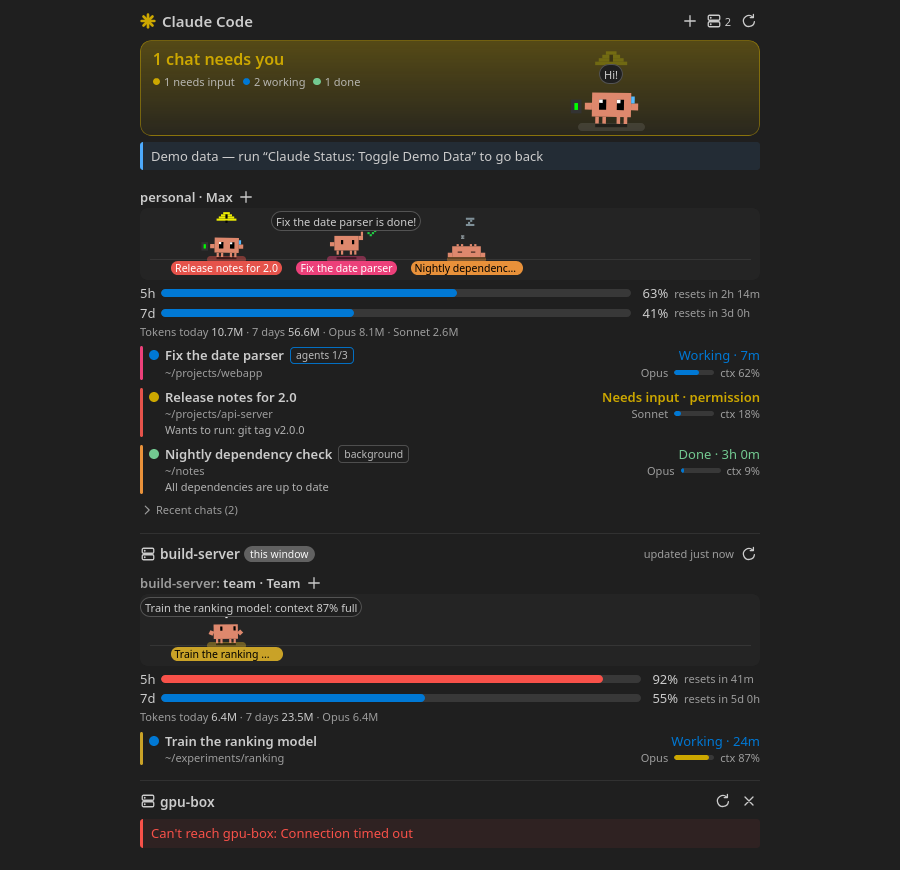
- Every chat, grouped by account: waiting for you, working, your turn or finished; background jobs and the subagents a chat runs too
- Plan usage: the 5-hour and weekly limits of each account with their reset times, plus today’s and this week’s tokens
- Your side, also over Remote-SSH: the extension always runs on your own computer, so one view shows your local chats and the server’s side by side, whichever machine the window is connected to
- Open a chat with one click, on the machine it runs on; a chat already running in one of the window’s terminals is brought to the front
- Status bar with how many chats need you and the 5-hour usage
- Notifications and sounds when a chat needs you or finishes a long turn
It also opens as a wide editor tab:
Stack
- TypeScript: the extension, bundled with esbuild
- Preact: the webview UI
- Python (3.7+): the backend shared with the Claude Status widget, also run over
sshon remote hosts with nothing installed there
Privacy
Nothing leaves the computer except the ssh connections to the hosts you pick. There is no telemetry, and the view loads nothing from the internet.
An independent project: not affiliated with or endorsed by Anthropic.