
Talpy Den
I usually have a handful of Claude Code chats running, on different accounts and a few machines, and I kept losing track of which one was waiting for me. So I built Talpy Den: a panel widget for KDE Plasma 6, a GNOME Shell extension and a VS Code extension that tell me at a glance. Made for my own day to day.
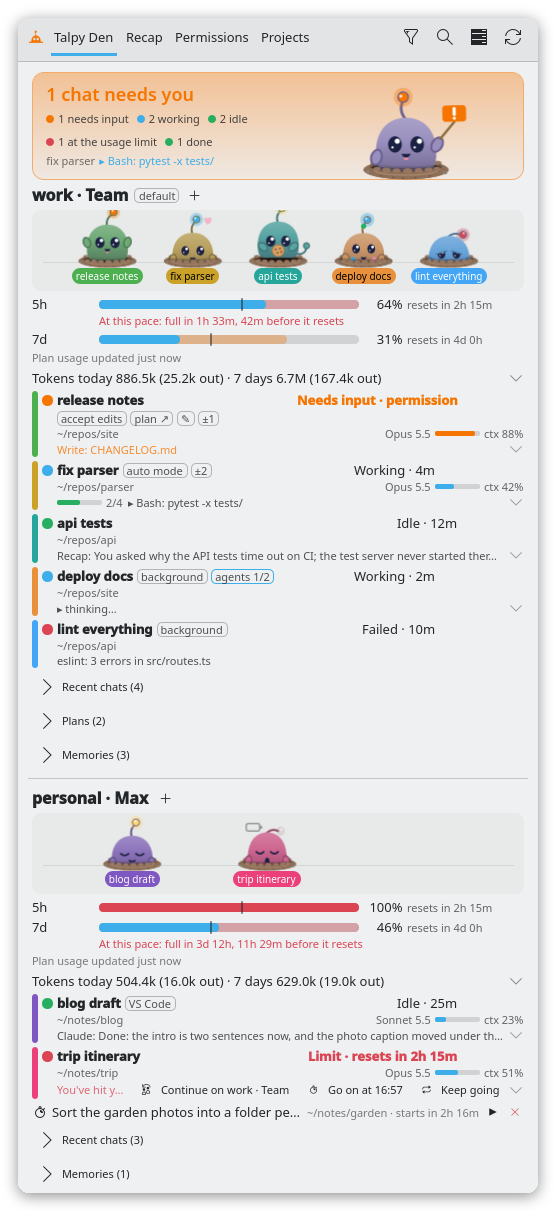
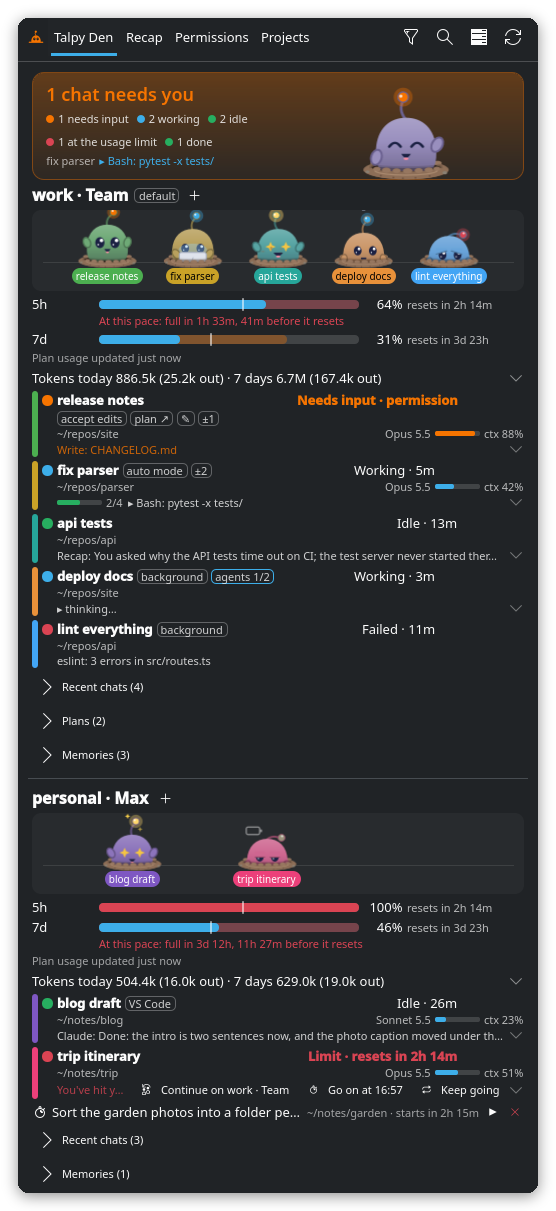
GitHub: wzaielamri/talpy-den
What it does
- Every chat in one place: terminal chats, background jobs and VS Code’s Claude tabs, on this computer and my SSH hosts, per account: which need me (and for what), which are working (and on what), which are done. Nothing is installed on the hosts.
- Chat without switching: click a chat and it opens beside the popup. I can reply, answer its permission prompts and questions, review what it changed and undo it, or commit only its files.
- Limits, handled: the usage bars show where my pace ends up and warn me before I run out. If a chat gets stopped anyway, I continue it on my other account or let it go on by itself once the limit resets.
- Start chats from the popup: in a terminal, in VS Code or in the background, with a task, later, or once a limit resets.
- Recap and Permissions: my day, week or everything with Claude (how long I was at it, how long Claude worked, what it would cost at API prices, tips to use less of the plan), and every permission I gave, to revoke.
- And more: search across all chats, plans and memories I can read and edit, a warning when two chats edit the same files, notifications with one summary of what happened while I was away, and to my phone if I like.
- A pet for every chat: Talpy lives in a burrow and acts its chat out. It types while the chat works, holds up a sign when it needs me and falls asleep once it’s done.
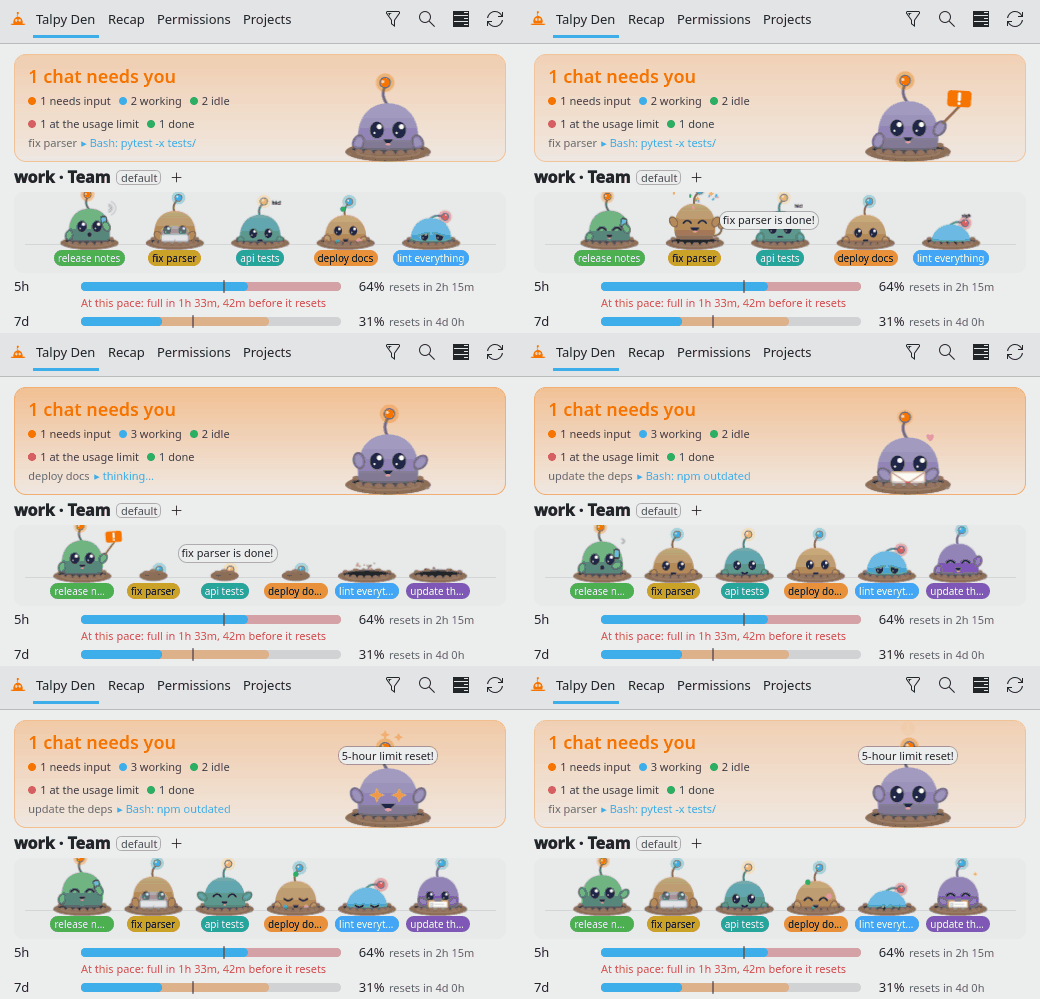
The GNOME version has the dashboard, notifications, pets and the Recap. The chat pane, limit handling, plans and queued tasks are Plasma-only for now.
In VS Code
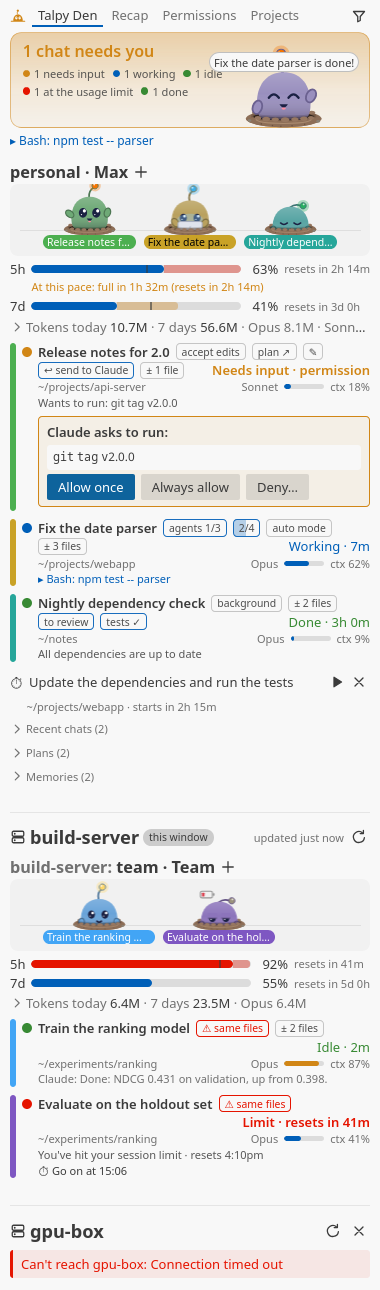
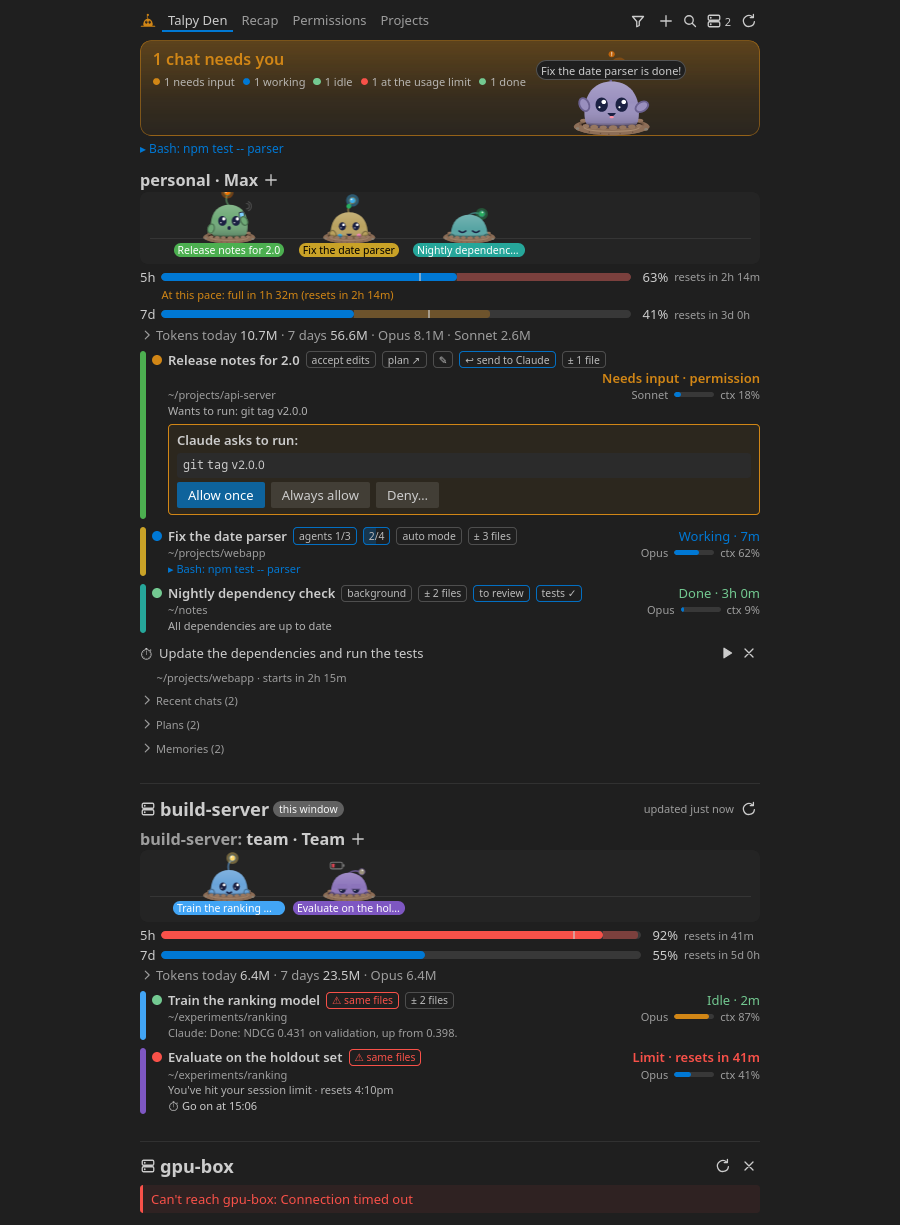
The same dashboard as a VS Code view, on the same backend. The extension runs on my own computer even in a Remote-SSH window, so one view shows my local chats and the server’s side by side. It adds a few things of its own: plans in VS Code’s Markdown preview where I comment on a line and send the feedback back to Claude, a status bar count of the chats that need me, and Ctrl+Alt+Shift+C to jump to the one that has waited longest.
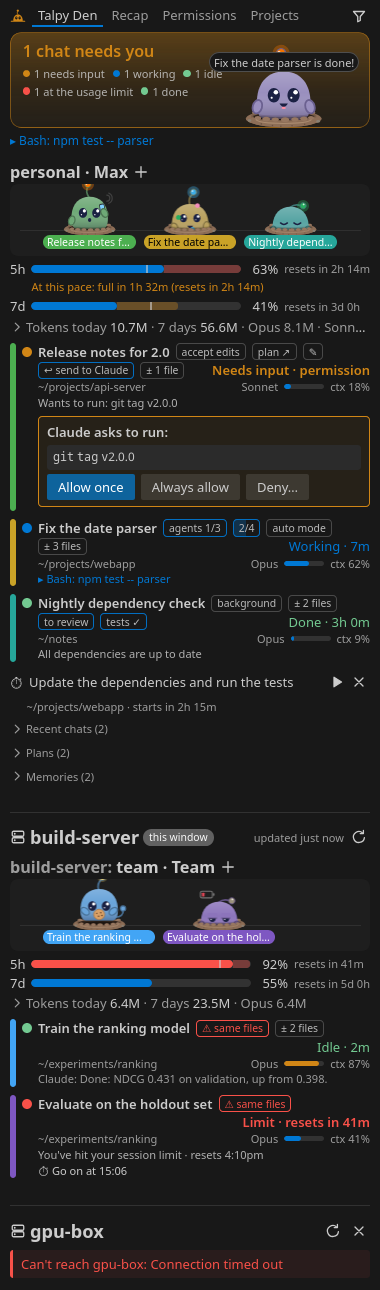
It also opens as a wide editor tab:
The extension used to have its own repository, talpy-den-vscode (first called claude-status-vscode). That one is archived now: the extension lives in talpy-den/vscode, and each release ships it as a .vsix next to the widget and the GNOME extension.
Stack
- QML / KDE Plasma 6: the panel widget and popup
- GJS: the GNOME Shell extension (GNOME Shell 49+; 43 and 44 through a converted build)
- TypeScript and Preact: the VS Code extension and its webview, bundled with esbuild
- Python (3.7+, standard library only): the backend all three share. It reads Claude Code’s session registry, background jobs and transcripts, and the same script runs on SSH hosts
- D-Bus and KWin scripts: switching Konsole tabs and raising windows on Plasma Wayland
- SSH ControlMaster: shared connections, so checks on remote hosts stay quick
Privacy
It only reads the files Claude Code writes. No Anthropic API calls, no telemetry, and nothing leaves the computer except the ssh connections to the hosts I pick (and, if I turn it on, a note to my phone over KDE Connect). The one download is the European Central Bank’s exchange rates, and only if I show the recap’s costs in a currency other than US dollars.
An independent project: not affiliated with or endorsed by Anthropic, and written with AI assistance.